Select microphone
Choose a suitable measurement input.
AURA · Measurement-driven room intelligence
AURA combines microphone validation, stereo measurement, room-response analysis and real-time FIR correction. The goal is not to flatten everything; it is to understand the measured room and intervene where the profile justifies it.
The AURA workflow
AURA treats calibration as a chain: select the measurement input, validate it, measure the stereo system in the room, build the profile, then run live playback with the correction state visible.
Choose a suitable measurement input.
Check usable level, clipping, bandwidth and signal detection.
Run the room measurement sequence.
Analyse the response and prepare FIR correction.
Apply and monitor correction during playback.
Real measurement screens
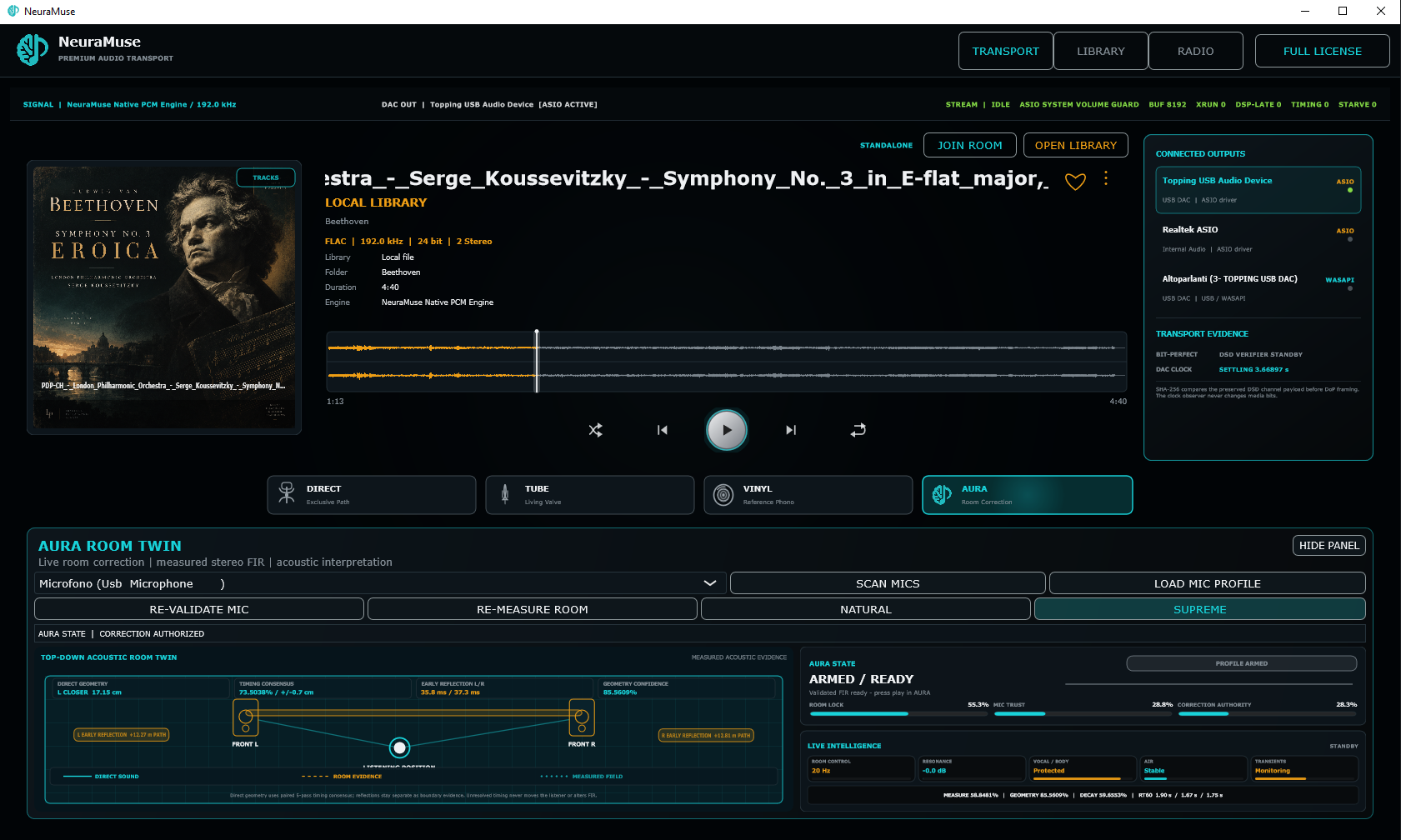
The current Early Access builds expose both microphone validation and room measurement instead of reducing calibration to an opaque “optimise” button.
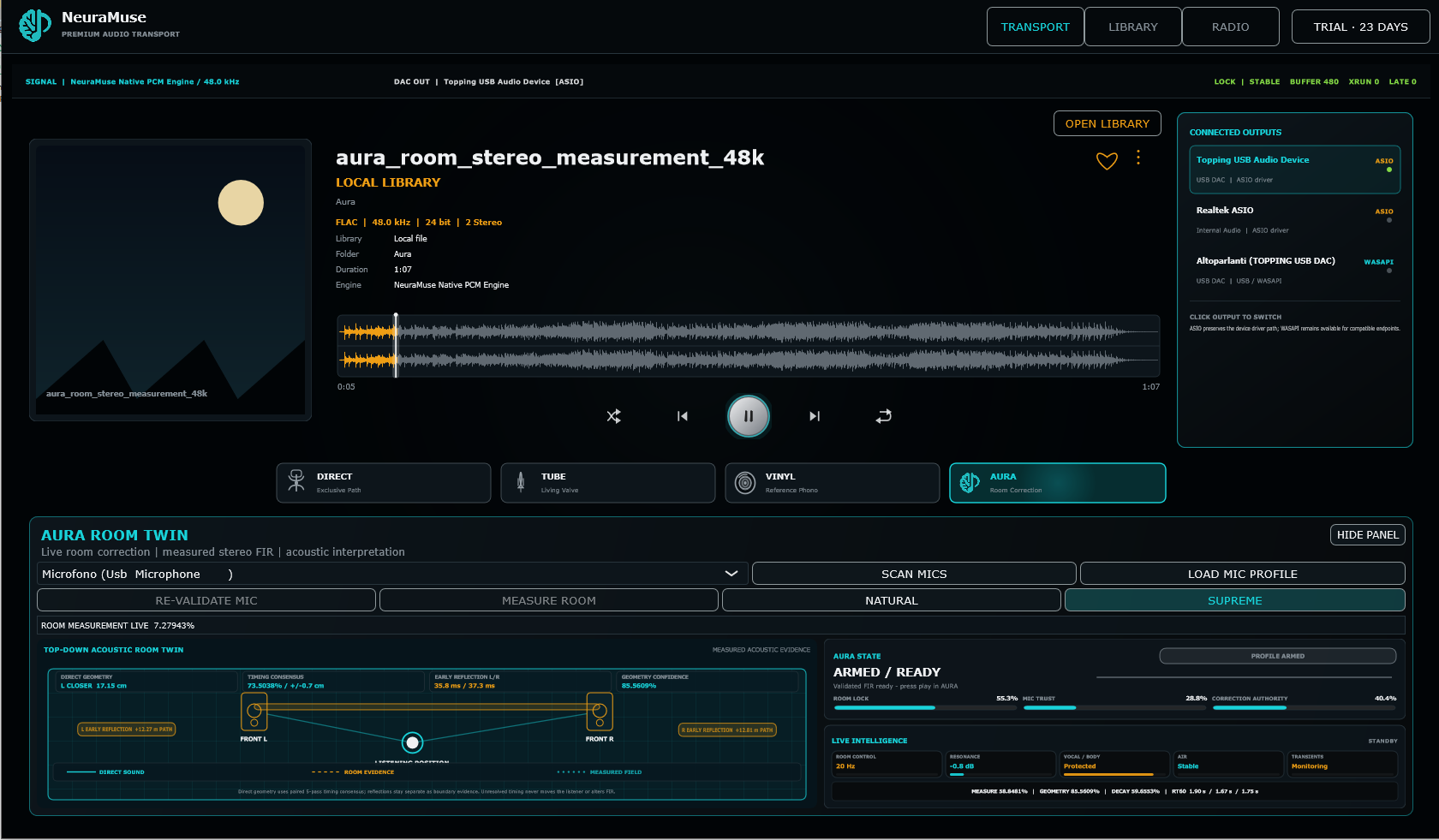
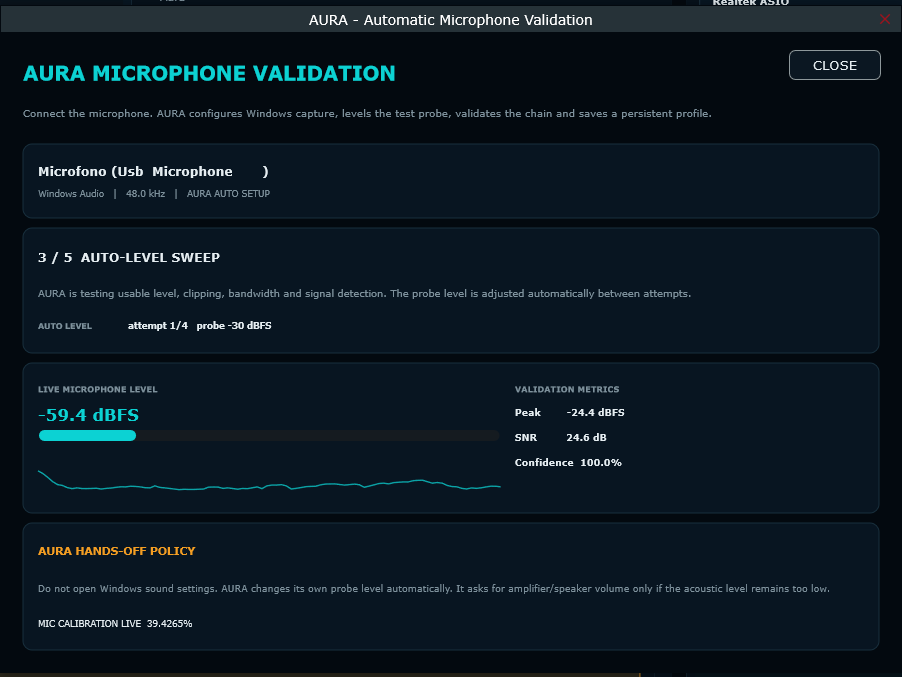
Microphone level, clipping, signal detection and confidence indicators help make the measurement chain explicit.
Live Room Twin
During playback AURA exposes room state, microphone trust, correction authority and active correction targets. The Room Twin is a compact representation of the measured playback environment.
Room interpretation remains tied to the measurement state rather than presenting generic visuals as acoustic facts.
The live correction area makes current targets and correction state visible.
The design also preserves musical content where automatic attenuation would be inappropriate.
Microphone guide
The microphone should represent the acoustic field as predictably as possible.
XLR measurement microphone plus a suitable interface, or a calibrated USB measurement microphone designed for acoustic work. Prefer an individual calibration file when available.
Conference, webcam and headset microphones, especially when AGC, beamforming, noise suppression, echo cancellation or other unknown DSP is active.
AURA and DIRECT
DIRECT remains available as the uncorrected reference. Engage AURA when you want the measured correction environment, and return to DIRECT whenever you want the baseline. If a DSD track is already being processed by AURA, bit-perfect DSD resumes at the next track boundary after DIRECT is selected.
Build the room profile from a real microphone measurement.
FIR correction is tied to the profile rather than a generic “better sound” preset.
Hear the system/room combination without AURA whenever you need the reference. For a DSD track already in the processed path, DIRECT is applied from the next track boundary.
Measure your own system
Install NeuraMuse, connect a suitable measurement microphone and build your own room profile.