Reference route
The analogue modelling stages and room-correction path are bypassed.
DIRECT · Reference digital path
DIRECT keeps the modelling and room-correction paths out of the way and exposes the state of the digital route to the selected output device.
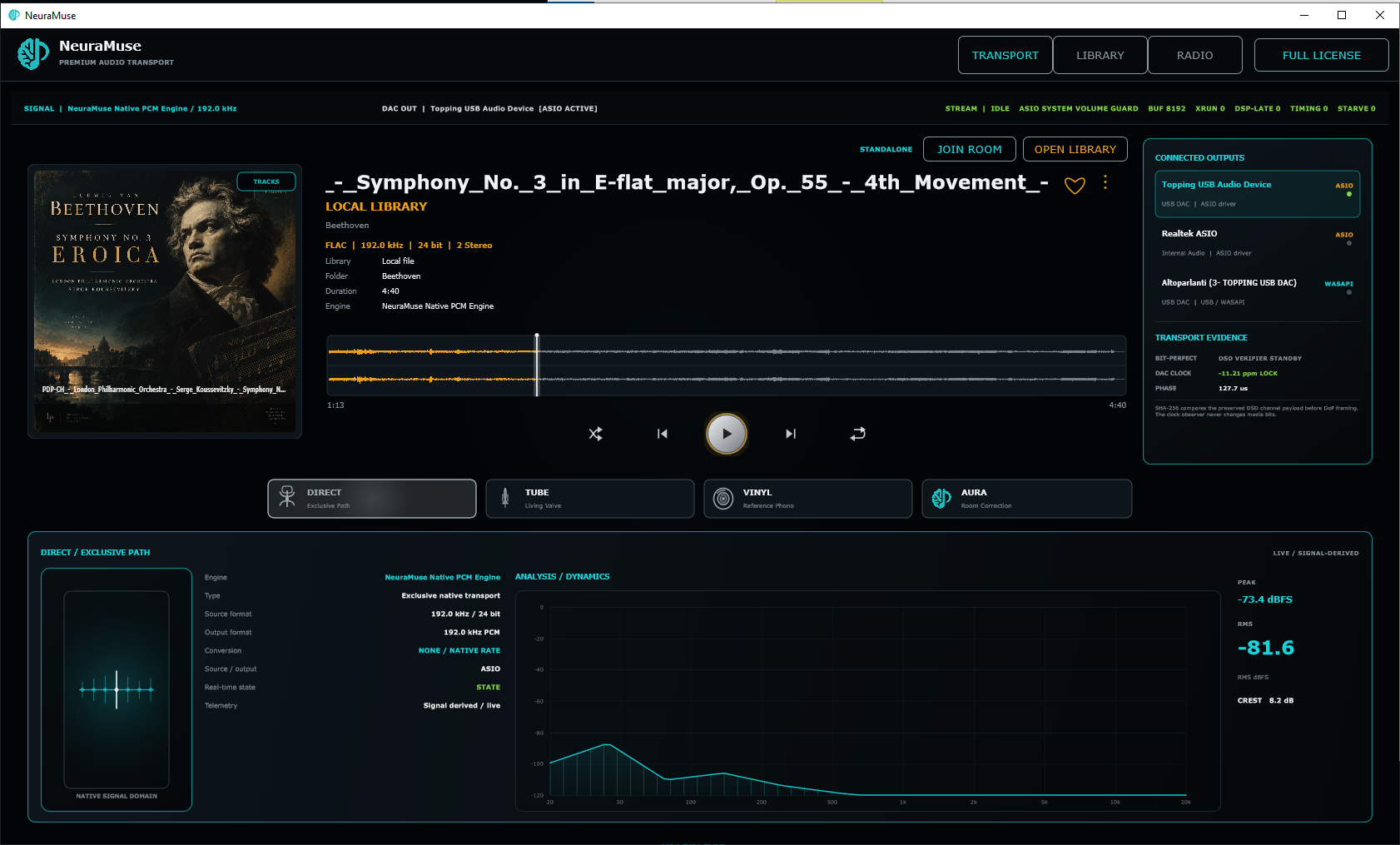
Reference playback
DIRECT is the control condition inside NeuraMuse. It provides a clear baseline against which TUBE, VINYL and AURA can be judged.
The analogue modelling stages and room-correction path are bypassed.
With compatible hardware and drivers, NeuraMuse can follow the source sample rate rather than forcing a fixed output rate.
Source/output rate, buffer state, XRUN count and timing indicators remain visible for verification.
Output chain
NeuraMuse does not require a proprietary converter. For reference listening, use a dedicated DAC or interface and its manufacturer-provided driver when available.

Audio file support
NeuraMuse can add and play these library formats directly:
Standard PCM and compressed library playback supported by the current build.
DSD file playback is hardware-aware. DSD128 is verified; higher rates up to DSD512 depend on the selected DAC, driver and output path.
Supported file formats describe what NeuraMuse can open; actual output mode and rate depend on your DAC, driver and configuration.
Why DIRECT matters
A reference path is useful because it gives each optional model or correction mode something stable to compare against.
DIRECT remains the baseline for comparison. If a DSD track is already running through TUBE, VINYL or AURA, selecting DIRECT queues bit-perfect DSD for the next track boundary.
The transport status makes the active playback path explicit.
NeuraMuse prepares and routes the stream; the selected DAC remains the conversion stage.
Try the reference first
Then compare TUBE, VINYL and AURA against the same source.